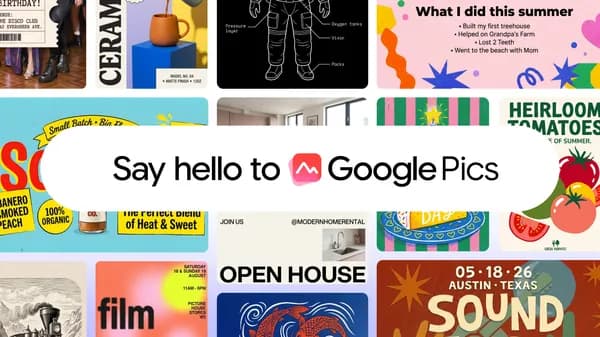
Try Google Pics: Easy image creation and editing in Google Workspace
Google introduces Pics, a new image creation and editing tool powered by the Nano Banana model, enhancing productivity in Google Workspace.
Google has officially launched Google Pics, an innovative image creation and editing tool designed to integrate seamlessly with Google Workspace. This new tool is built on the advanced capabilities of the Nano Banana model, which is engineered to facilitate both the generation and modification of images with ease. Users can now create visually appealing graphics, edit existing images, and collaborate on projects directly within the familiar Google Workspace environment. This move is part of Google's broader strategy to enhance productivity tools with AI capabilities, making creative tasks more accessible to users of all skill levels.
The introduction of Google Pics comes at a time when the demand for user-friendly image editing tools is on the rise. As remote work and digital collaboration become the norm, professionals are seeking efficient ways to create and share visual content. Google aims to meet this demand by providing a tool that not only simplifies the image creation process but also integrates with other Google Workspace applications like Docs, Sheets, and Slides. This integration allows users to easily incorporate images into their documents, presentations, and spreadsheets, streamlining workflows and enhancing productivity.
Key facts
| Feature | Detail |
|---|---|
| Tool Name | Google Pics |
| Model Used | Nano Banana |
| Integration | Google Workspace applications |
| Image Creation | Yes |
| Image Editing | Yes |
| Target Users | Professionals, educators, and students |
| Accessibility | User-friendly interface |
| Collaboration | Real-time editing and sharing capabilities |
Google Pics is positioned as a game-changer in the realm of image editing tools. Unlike traditional software that often requires extensive training or expertise, Google Pics is designed to be intuitive and user-friendly. This democratization of image editing means that anyone, regardless of their technical background, can create professional-looking images. The Nano Banana model behind Google Pics is a testament to Google's commitment to leveraging AI to enhance user experience, providing sophisticated image processing capabilities that were previously only available in more complex software.
In the past, image editing tools were often standalone applications that required users to switch between different software to accomplish their tasks. This fragmented approach can hinder productivity, especially in collaborative environments. Google Pics addresses this issue by allowing users to create and edit images directly within their workflow. This integration not only saves time but also reduces the cognitive load associated with managing multiple applications. Users can focus on their creative tasks without the distraction of switching between different tools.
How to read the numbers
The introduction of Google Pics is particularly relevant in the context of the growing competition in the image editing space. Tools like Canva and Adobe Spark have popularized the concept of easy-to-use design applications, but Google aims to leverage its existing user base and ecosystem to provide a compelling alternative. The Nano Banana model's advanced capabilities allow Google Pics to stand out, offering features that can rival those of established players while maintaining the ease of use that Google is known for.
The practical implications of Google Pics extend beyond just individual users. Businesses and educational institutions can benefit significantly from this tool. For instance, marketing teams can quickly generate graphics for campaigns, while educators can create engaging visual content for their lessons. The collaborative features of Google Pics also mean that teams can work together in real-time, making it easier to gather feedback and make adjustments on the fly. This can lead to more efficient project timelines and improved outcomes.
What you can do with it
- Create Custom Graphics: Use Google Pics to design unique images for presentations, social media, or marketing materials.
- Edit Existing Images: Enhance photos or graphics by applying filters, cropping, and adding text directly within Google Workspace.
- Collaborate in Real-Time: Work with team members on image projects, allowing for immediate feedback and adjustments.
- Integrate with Other Tools: Seamlessly incorporate images into Google Docs, Sheets, and Slides to enhance your documents and presentations.
Looking ahead, Google Pics is set to evolve as user feedback is gathered and new features are developed. The integration of AI into creative tools is still in its early stages, and Google is likely to continue refining the Nano Banana model to enhance its capabilities. As more users adopt Google Pics, we can expect to see a growing community of creators who leverage this tool to produce high-quality visual content efficiently. The future of image editing within Google Workspace looks promising, with Google poised to lead the charge in making these tools more accessible and powerful for everyone.
Source: Google AI Blog · Read original →
Discussion
Comment here after signing in, or share the story to continue the conversation elsewhere.
Instagram & TikTok: copy the link and paste into a Story, Reel, or post caption.
Log in or create an account to comment — Google / GitHub / X when those providers are configured.
No comments yet — start the thread.